
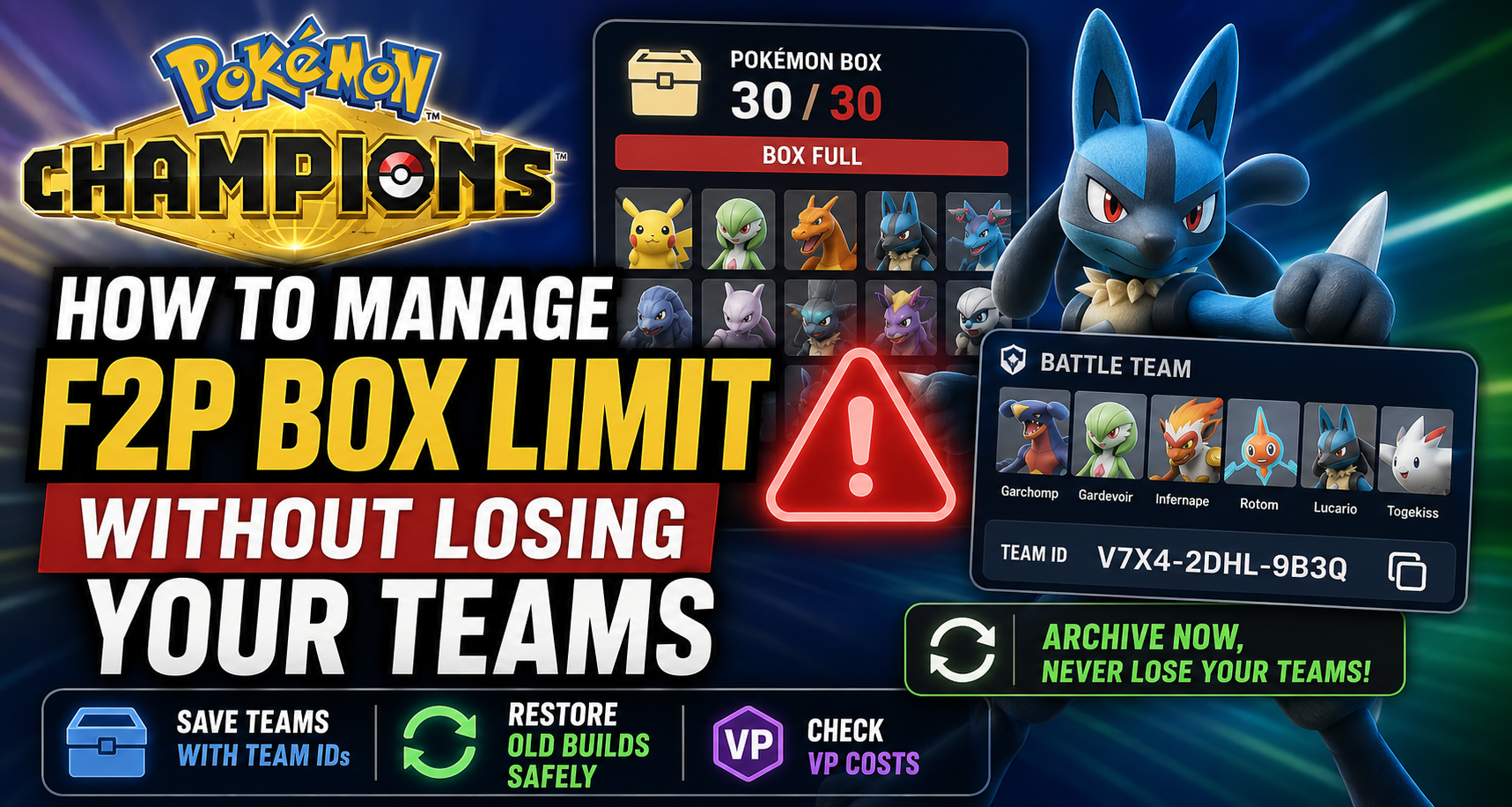
How to Manage Pokémon Champions’ F2P Box Limit Without Losing Your Teams
Pokémon Champions gives free-to-play players a lot of freedom when it comes to training Pokémon, testing strategies, and building competitive teams. However, there is one limitation that becomes much more important once you start playing seriously: Pokémon storage. Free-to-play players can only keep a limited number of Pokémon in their box at one time. At the moment, that limit is widely shown as 30 Pokémon. That may sound like enough at first, but it fills up surprisingly quickly once you begin building teams for different formats, experimenting with Pokémon, testing counters, or keeping multiple versions of the same Pokémon with different moves, held items, Natures, or training setups. You may want one team for ranked battles, another for doubles, another for Singles, one team for a tournament, and a few experimental Pokémon for future strategies. Suddenly, your box is close to full. That creates a difficult decision: which Pokémon can you safely remove without losing a team you may want to play again later? A useful community workflow shared by @A9U1L4 on X (https://x.com/A9U1L4/status/2072188392042057822) can help with this problem. The post includes screenshots and a video walkthrough showing how players can use Battle Team sharing and Coordinate Teams to archive their team setups before overwriting active teams or changing their Pokémon box. The important detail is this: this method does not create unlimited Pokémon storage. It does not let you permanently keep Pokémon after removing them from your box. Instead, it gives you a way to save a team’s configuration as a reusable blueprint. That can be extremely useful for free-to-play players.
The Difference Between Box Space, Active Teams, and Coordinate Teams
There are three separate systems that players should understand. Your Pokémon box is your permanent roster. These are the Pokémon you currently own and can use when building teams. Free-to-play players need to manage this roster carefully because box space is limited. Your active Battle Teams are the teams currently available in your normal team selection. These are the teams you can immediately choose for battles. Your Coordinate Teams are saved team configurations that can be restored later using a Team ID. This distinction matters because a saved Team ID is not the same thing as owning a duplicate version of every Pokémon on that team.
A saved Team ID can preserve the team composition, moves, items, setup, and general configuration. But if you later remove one of the Pokémon from your box, you may need to obtain or train that Pokémon again before the team can fully function exactly as saved. Think of Coordinate Teams as an archive system for your team ideas, not an unlimited storage system for your Pokémon.
Why This Is Especially Important for Free-to-Play Players
Paid options may allow players to expand their Pokémon storage over time, but free-to-play players need to make more careful choices. You may not have enough room to keep every experimental Pokémon, every alternate move set, every old team, and every future project at the same time. This becomes especially relevant if you want to maintain: - A current ranked team - A Singles team - A Doubles team - A tournament practice team - A Regulation-specific team - A weather team - A Trick Room team - A hard counter for a popular meta strategy - Several Pokémon with different held items or training setups - Older teams you may want to revisit later Without an archive system, replacing one team can mean losing it completely. You may remember the general idea of the team, but rebuilding exact moves, items, Pokémon choices, and training settings later can be annoying and expensive. Saving your team before making changes gives you a safety net.
What a Team ID Can Preserve
When you save a Battle Team through the sharing system, the Team ID acts as a reference for the exact build. It can preserve important information such as: - The six Pokémon used on the team - The overall team composition - Movesets - Held items - Abilities - Training choices - Team setup and battle structure - A reusable Team ID for restoring the build later This is useful even if you do not plan to share the team publicly. You can use Battle Team Share as your own private archive tool. Save the code in a notes app, spreadsheet, private Discord channel, or document, then restore the team later when you want to play it again. The original source has also clarified that players can save up to 12 Coordinate Teams. That gives free-to-play players much more room to archive strategies than the normal active Battle Team limit might suggest. Again, these are archived configurations. They are not twelve extra active teams and they are not twelve extra Pokémon boxes.
What Team IDs Do Not Preserve
It is equally important to understand what this method cannot do. A Team ID does not provide: - Unlimited Pokémon storage - Unlimited active Battle Team slots - Permanent ownership of Pokémon you release - Guaranteed access to held items you no longer have - Guaranteed access to a Pokémon after you remove it from your box - Automatic free retraining after you change a Pokémon - A guarantee that restored Pokémon will always cost 0 VP If you delete or replace a Pokémon to make room in your box, the team can still remain saved as a Team ID. However, you may not be able to play that team immediately until you have the required Pokémon available again. That is why this system works best as a backup plan and an organizational tool.
How to Archive a Team Before Changing Your Box
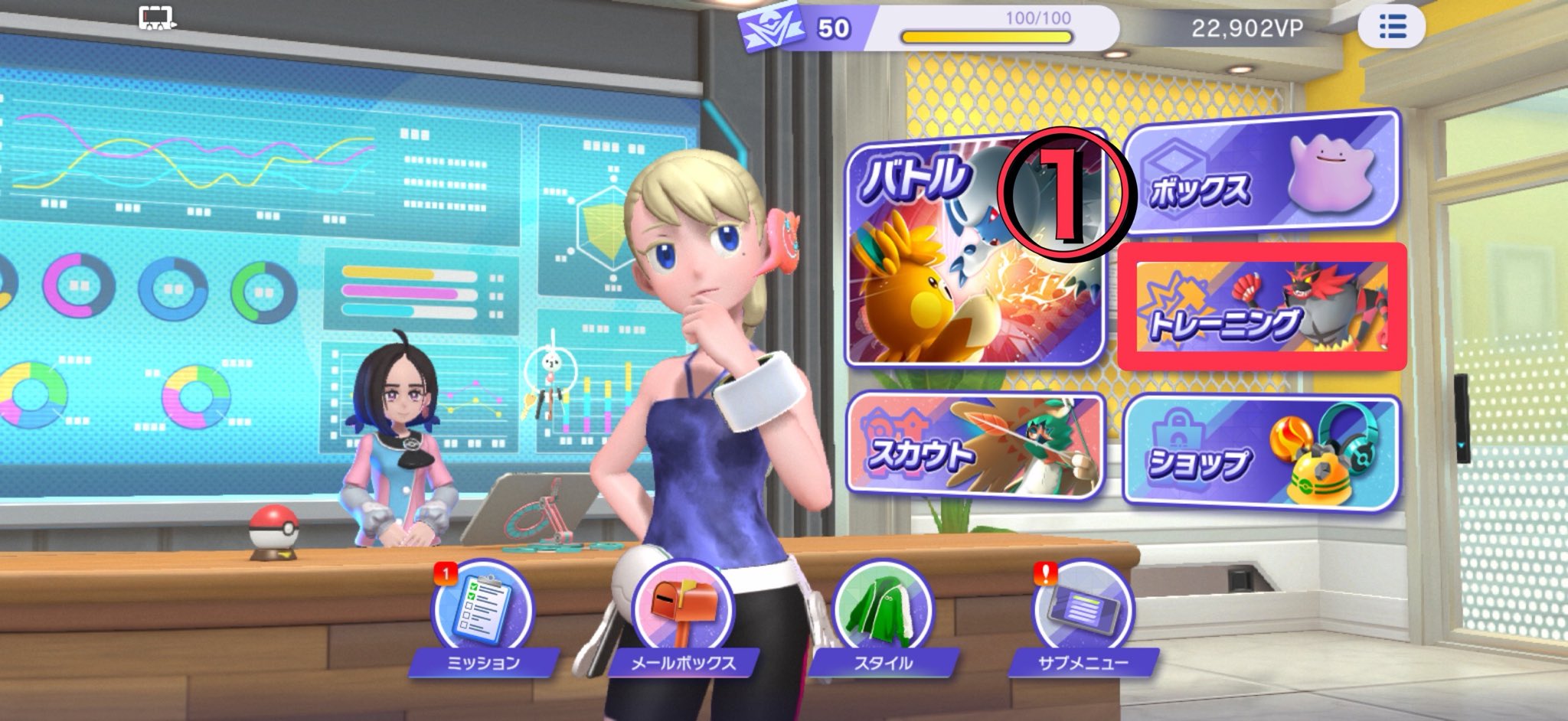
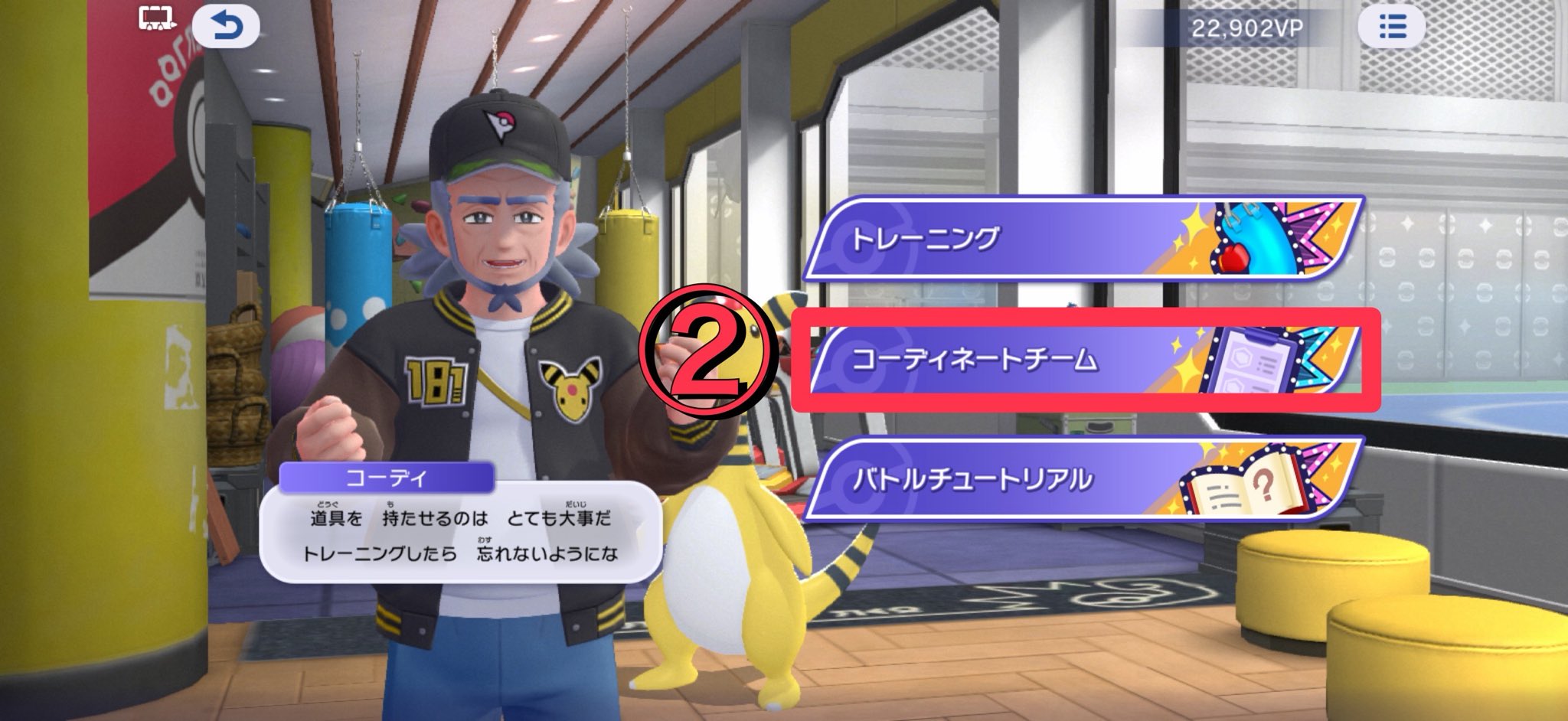
Before you remove a Pokémon, replace a team, change a moveset, or use an active slot for a new build, save the current team first. The exact menu names may look slightly different depending on your game language, but the workflow shown in the community post is straightforward. Start by opening the Training area from the main menu. Then follow this general route: - Open Training. - Open Coordinate Teams. - Choose Battle Team Public Management or the equivalent Battle Team sharing menu. - Select the Battle Team you want to save. - Open Battle Team Information. - Copy or screenshot the Team ID. - Save the code outside of the game. Do not only rely on memory. The best method is to save each team with a clear label. Include the format, team style, key Pokémon, and the date you last updated it.
How to Restore a Saved Team
When you want to bring back an archived build, return to the Coordinate Team menu. The restoration path shown in the shared post is: - Open Training. - Open Coordinate Teams. - Choose Organize with Team ID. - Select the active Battle Team slot you are willing to overwrite. - Paste the saved Team ID. - Select Yes to confirm. - Review the team setup. - Check the required VP cost before finalizing the restoration. Warning: The active Battle Team slot you choose will be overwritten. Archive the outgoing team first if you want to keep it. This is one of the most important parts of the process. Do not overwrite a team just because you think you will remember it later. Save the outgoing Team ID first. Then restore the team you want to play. A good habit is to always archive before replacing.
Why the 0 VP Check Matters
After restoring a Team ID, Pokémon Champions may show a VP requirement. This is because the saved version of the team may not perfectly match the Pokémon currently available in your box. A Pokémon may have different moves, a different Ability, changed training values, a different held item, or another editable detail that no longer matches the archived version. The tip from the original post is simple but important: check whether the required training cost is 0 VP. If the required amount is 0 VP, the Pokémon already matches the archived configuration for that restoration step. You can restore it without spending extra Victory Points. If the game asks for VP, take a moment before confirming. Check which Pokémon requires training and determine what changed. You may decide that the change is worth paying for, or you may decide to keep your current version instead. Do not assume every restored team will be free. The Team ID is a blueprint, but your current Pokémon collection still matters.
A Simple Free-to-Play Storage Plan
The easiest way to avoid box problems is to give every Pokémon and team a purpose. Keep your current main team active. Keep one backup team active for a different format or matchup. Keep one active slot flexible for testing new ideas. Before replacing anything, archive the old team. Before removing a Pokémon from your box, check whether it belongs to an old team you may want later. You do not need to keep every duplicate Pokémon forever. But you should be careful with Pokémon that have rare items, expensive VP investment, unusual movesets, or a role in a successful team you may revisit. Treat your Team ID archive like a personal library. Your active teams are the books on your desk. Your Pokémon box is the shelf space you currently own. Coordinate Teams are the catalogue that helps you find and rebuild older ideas later.
Got questions?
Drop into the Discord — most beginners get a deck-list reply within an hour.
Join the Discord