Pokémon Champions Mobile Warning: Link Your Nintendo Account Before Playing
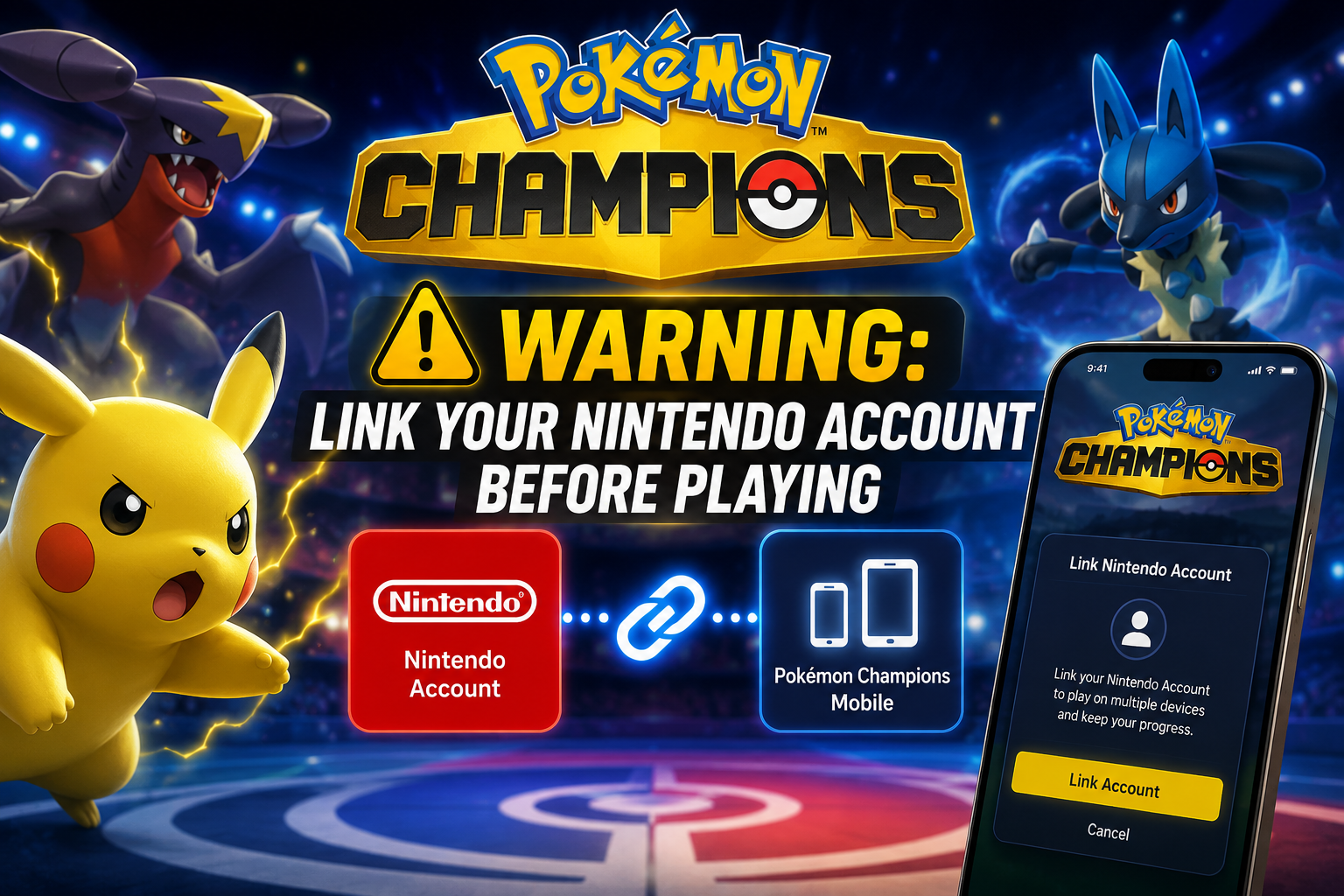
The Pokémon Champions team has shared an important warning for players planning to jump into the mobile version of the game: do not skip the Nintendo Account linking step when first launching the app. With Pokémon Champions preparing to release on Android and iOS, many players will be moving from Nintendo Switch or Nintendo Switch 2 to mobile for the first time. That makes account linking one of the most important setup steps at launch. According to the official Pokémon Champions notice, players who want to use the same account on mobile as they already use on the Nintendo Switch version must link a Nintendo Account when first starting the mobile version. The warning is especially important because the notice states that, once you start playing, linking can no longer take place normally. If you miss the first-launch linking step, a full reinstall of the app will be required to link your account afterward. For players who already have progress, teams, rewards, and Pokémon on Nintendo Switch, this is a major reminder. Before tapping through the mobile setup screens too quickly, make sure you choose the account-linking option and connect the correct Nintendo Account.
What Did Pokémon Champions Announce?
The official Pokémon Champions account posted an important notice reminding players to link their account first. The message explains that, in order to play the mobile version of Pokémon Champions using the same account as the Nintendo Switch version, linking with a Nintendo Account is required. The post also clarifies a key detail: if you are already playing on Nintendo Switch, linking with a Nintendo Account is only possible when first launching the mobile game. Once you start playing, linking can no longer take place through the normal setup flow, and a full reinstall will be required to link the account. That means this is not just a normal “remember your login” reminder. It is a launch-day warning. Players who rush through the first setup screen may accidentally create or start a separate mobile play session instead of connecting their existing Switch progress. This matters because Pokémon Champions is built around competitive teams, Pokémon management, rewards, gifts, and long-term progression. Losing access to your main save data on mobile, even temporarily, could create frustration for players who want to continue with the same account across platforms.
Who Needs to Pay Attention?
This warning is most important for players who have already been playing Pokémon Champions on Nintendo Switch or Nintendo Switch 2. If you have existing progress and want to continue on Android or iOS with the same account, you need to link the same Nintendo Account during the first launch of the mobile version. This also matters for players who plan to use Pokémon Champions across multiple devices. The mobile release makes the game more convenient because players can battle on the go, but cross-platform play only works smoothly if the correct account is connected. If you choose the wrong account or skip linking entirely, you may not see your existing progress on mobile. New players who are starting Pokémon Champions for the first time on mobile should also pay attention. Even if you do not have Switch progress yet, linking a Nintendo Account early may help avoid future account confusion. It is usually better to connect your main account from the beginning than to fix account issues later. Content creators, competitive players, and players who want to test teams on multiple devices should be especially careful. For those players, having the same account available on both Switch and mobile can be extremely useful for recording, testing, laddering, and building teams without being locked to one device.
Why First Launch Matters
The key detail in the notice is the phrase “when first launching the game.” That means the account-linking option is not something players should ignore and return to later. The Pokémon Champions post says that once you start playing, linking can no longer take place, and a full reinstall will be required to link your account. In practical terms, this means players should slow down during the first setup process. Do not rapidly tap through the first screens just to get into the game faster. Before starting gameplay, check carefully for the Nintendo Account linking option. This is especially important on launch day, when many players will be excited to claim rewards, test mobile performance, and try the Android or iOS version immediately. Launch-day excitement can lead to mistakes. If the game asks about account linking, take the time to select the correct option. A full reinstall may solve the issue if you miss the step, but that is still annoying. It could mean redownloading the app, repeating setup, and possibly dealing with account confusion. The safer choice is to link correctly the first time.
How This Affects Switch Players
For existing Nintendo Switch and Nintendo Switch 2 players, the mobile launch is one of the most important moments for Pokémon Champions so far. Being able to continue your account on mobile makes the game much more flexible. You can battle away from your console, test teams more often, and keep up with events more easily. But that flexibility depends on account linking. If your Switch progress is tied to your Nintendo Account, the mobile version needs that same connection to identify your account properly. Without it, the game may not load the progress you expect. Players should also double-check which Nintendo Account they use on Switch. Some people have multiple accounts on the same console, especially if family members share a device. Linking the wrong Nintendo Account could cause confusion and make it look like your progress is missing. Before the mobile version goes live, it is a good idea to confirm your Nintendo Account details. Know which email is connected, make sure you can log in, and avoid making last-minute account decisions during the launch flow.
What Players Should Do Before Mobile Launch
- Confirm which Nintendo Account is linked to your Nintendo Switch profile.
- Make sure you know the login details for that Nintendo Account.
- Do not rush through the mobile version’s first setup screens.
- Choose the Nintendo Account linking option when first launching the mobile app.
- Use the same Nintendo Account if you want to continue your Switch progress.
- Avoid starting gameplay before linking if you already have Switch data.
- If you accidentally skip linking, be prepared that a full reinstall may be required.
- Check official Pokémon Champions notices for any additional account guidance.
Why This Warning Matters for the Mobile Release
Pokémon Champions coming to Android and iOS is a major step for the game. Mobile access should bring in many new players and make the game easier to play regularly. But mobile launches also create account-management problems if players do not understand how cross-platform progress works. This warning is important because it prevents one of the most common mobile-launch issues: players accidentally starting fresh instead of connecting existing data. If many Switch players skip the linking step, support channels and community spaces could quickly fill with questions about missing progress. For a competitive game, account continuity matters. Players may already have teams, event gifts, rewards, Mega Stones, Pokémon, and account progress. Starting over by mistake would be frustrating, even if the issue can be fixed through reinstalling. That is why this notice deserves its own article. It is not the flashiest announcement, but it is one of the most practical. Players should see it before they install the mobile version.